
DXE Phase: Drivers, Protocols, and reading logs when nothing runs
Deep dive into DXE: dispatcher, DEPEX, Driver Binding, protocol database, and how to use serial log, POST codes, and UEFI Shell to debug real failures.
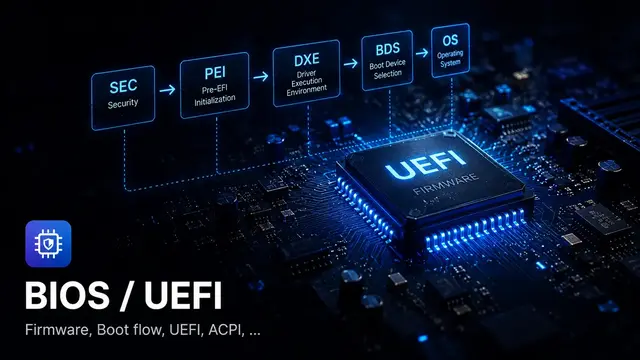
DXE is the phase you’ll debug the most
Flash a new BIOS, and the NVMe is still visible in the OS but no longer appears in the UEFI boot menu. The driver built cleanly, the source had no errors, the image flashed successfully. Where’s the bug: FDF, DEPEX, Driver Binding, or BDS?
This is the kind of failure that’s typical in DXE. Not because DXE breaks more than other phases, but because DXE is where everything converges: drivers run here, devices get enumerated here, protocols get installed here. When something goes wrong, DXE is often where the symptom first appears — even if the root cause is earlier.
My work is customizing BIOS for POS systems, kiosks, and payment terminals. That environment has no room for “debug slowly”: when a machine dies in a store during peak hours, you need to identify the failing layer fast.
This article follows exactly that perspective: reading DXE from a debug angle — what the log says, where POST codes land, and which layer to check when a device doesn’t come up.
What DXE does, from a systems view
When PEI hands off, DXE Core receives a HOB list describing the memory map and firmware volumes. From there, DXE Core:
- Builds memory services (AllocatePool, AllocatePages, …)
- Starts the DXE Dispatcher
- Dispatcher scans firmware volumes, checks DEPEX, dispatches drivers
- Each driver installs protocols onto the handle database
- New protocols → waiting drivers get unlocked → more dispatch
- Eventually transitions to BDS
Key point: DXE does not run drivers in file order. Dispatch order follows the dependency chain — who needs what protocol, and whether that protocol is installed yet.
POST codes in DXE: reading from port 0x80
A POST code (checkpoint) is a byte the firmware writes to a debug output — on most x86 platforms this is I/O port 0x80, or an equivalent path the platform/vendor provides — to signal which step it’s at. This is the first debug tool when a system hangs before serial log is available.
For AMI Aptio 5.x, from public AMI documentation, the DXE range is:
| Range | Meaning |
|---|---|
0x60–0x8F | DXE execution (before BDS) |
0x90–0xCF | BDS execution |
0xD0–0xDF | DXE errors |
Key DXE checkpoints:
| Code | Description |
|---|---|
0x60 | DXE Core starting |
0x61 | NVRAM initialization |
0x62 | South Bridge Runtime Services |
0x63 | CPU DXE initialization begins |
0x68 | PCI host bridge initialization |
0x69 | North Bridge DXE init |
0x6A | North Bridge DXE SMM init |
0x70 | South Bridge DXE init |
0x71 | South Bridge DXE SMM init |
0x72 | South Bridge devices init |
DXE error codes:
| Code | Description |
|---|---|
0xD0 | CPU initialization error |
0xD1 | North Bridge initialization error |
0xD2 | South Bridge initialization error |
0xD3 | Some Architectural Protocols not available |
0xD4 | PCI resource allocation error |
0xD5 | No space for Legacy Option ROM |
0xD6 | No Console Output Devices found |
0xD7 | No Console Input Devices found |
0xD8 | Invalid password |
0xD9 | Error loading Boot Option (LoadImage failed) |
0xDA | Boot Option not active |
Serial log: the main tool once past PEI
POST codes tell you which step, but not why it failed. Serial log is where the detailed information lives.
EDK II / MdePkg DEBUG macro
In firmware based on the UEFI/PI model or using EDK II-compatible tooling, logs typically follow the pattern of MdePkg’s DEBUG() macro. AMI Aptio and Insyde H2O have their own codebases and toolchains, but the way to read log levels and status is usually very similar:
DEBUG ((DEBUG_INFO, "MyDriver: LocateProtocol returned %r\n", Status));DEBUG ((DEBUG_ERROR, "MyDriver: Fatal error at line %d\n", __LINE__));%r is an EDK II format specifier that prints EFI_STATUS as a string — "Success", "Not Found", "Invalid Parameter" — instead of a hex number. Very useful when reading logs.
Debug levels (ErrorLevel)
Each message has a level. The level filter is set via PCD PcdDebugPrintErrorLevel:
| Define | Value | Meaning |
|---|---|---|
DEBUG_INIT | 0x00000001 | Initialization |
DEBUG_WARN | 0x00000002 | Warnings |
DEBUG_LOAD | 0x00000004 | Image load events |
DEBUG_FS | 0x00000008 | File system |
DEBUG_POOL | 0x00000010 | Alloc/Free pool |
DEBUG_PAGE | 0x00000020 | Alloc/Free pages |
DEBUG_INFO | 0x00000040 | General info |
DEBUG_DISPATCH | 0x00000080 | Dispatcher info |
DEBUG_VARIABLE | 0x00000100 | Variable operations |
DEBUG_BM | 0x00000400 | Boot Manager |
DEBUG_ERROR | 0x80000000 | Errors (always shown) |
Key patterns when reading serial log
When you have serial log, look for these patterns:
Driver entry point:
Loading driver: MyDriverDxeMyDriver: Entry point calledDEPEX not satisfied, driver not dispatched:
If DXE dispatcher logging is enabled (DEBUG_DISPATCH), you may see:
DEPEX not satisfied for: MyDriverDxe.efi Needs: gEfiPciIoProtocolGuid (not installed yet)Protocol installed successfully:
MyDriver: InstallProtocolInterface success, Handle=0x...Protocol locate failed:
MyDriver: LocateProtocol(gEfiBlockIoProtocolGuid) = Not FoundDXE Dispatcher: why a driver doesn’t run
This is the most common DXE question: “The driver built successfully — why didn’t the entry point run?”
Three most common causes:
1. Not in the FV/FDF
# DSC — this driver will be built[Components] MyPkg/MyDriverDxe/MyDriverDxe.inf# FDF — NOT in the firmware volume → not in the ROM[FV.MAIN_FV] # MyPkg/MyDriverDxe/MyDriverDxe.inf ← missing this lineThe driver built and the .efi file exists, but it was not packaged into the firmware image. The DXE Dispatcher never sees it.
2. DEPEX not yet satisfied
# In the driver's INF[Depex] gEfiPciRootBridgeIoProtocolGuid AND gEfiCpuArchProtocolGuidIf gEfiPciRootBridgeIoProtocolGuid has not been installed when the dispatcher runs its first pass, this driver is held back. Each time a new driver installs a protocol, the dispatcher runs again to see if any held drivers can now be unlocked.
Common reasons DEPEX isn’t satisfied:
- The dependency protocol genuinely doesn’t exist yet (the driver providing it is also waiting or hasn’t run)
- A typo in the GUID in DEPEX: doesn’t match the GUID the other driver installed
3. Driver ran but log is filtered
The entry point was called, but all messages use DEBUG_INFO while PcdDebugPrintErrorLevel doesn’t include that bit. It looks like the driver didn’t run, but it’s actually running silently.
Checklist when a driver doesn't run
Driver Binding: why a device doesn’t appear in the boot menu
The driver dispatched, the entry point ran, but the device still doesn’t appear in the boot menu. This is the next layer to check: Driver Binding.
In UEFI, a bus/device driver doesn’t bind at the moment its entry point runs. The entry point only installs EFI_DRIVER_BINDING_PROTOCOL. The actual binding happens when firmware calls ConnectController(), typically from BDS or when firmware explicitly connects devices.
BDS trigger
BDS calls ConnectController for storage/bus controller
Probe
Firmware asks each driver: can you manage this controller?
Bind
Driver claims controller, installs Block I/O + Device Path for storage; partition driver creates partition handle; filesystem driver installs Simple File System
Boot option
BDS finds Simple File System on ESP, resolves boot option
Supported() being too restrictive or having wrong logic is the most common reason a device doesn’t get bound.
EFI_STATUSEFIAPIMyDriverSupported ( IN EFI_DRIVER_BINDING_PROTOCOL *This, IN EFI_HANDLE ControllerHandle, IN EFI_DEVICE_PATH_PROTOCOL *RemainingDevicePath OPTIONAL ){ // Check whether this controller is storage we support Status = gBS->OpenProtocol ( ControllerHandle, &gEfiPciIoProtocolGuid, (VOID **)&PciIo, This->DriverBindingHandle, ControllerHandle, EFI_OPEN_PROTOCOL_BY_DRIVER ); if (EFI_ERROR (Status)) { return Status; // No PCI I/O → not supported } // Read Vendor ID / Device ID to confirm PciIo->Pci.Read (PciIo, EfiPciIoWidthUint32, 0, 1, &VendorDeviceId); // Must CloseProtocol before returning gBS->CloseProtocol ( ControllerHandle, &gEfiPciIoProtocolGuid, This->DriverBindingHandle, ControllerHandle ); if (VendorDeviceId != MY_DEVICE_ID) { return EFI_UNSUPPORTED; } return EFI_SUCCESS;}Debugging with UEFI Shell
When UEFI Shell is available, several commands are useful for inspecting DXE state:
drivers — see which drivers loaded
Shell> driversDRV VERSION DRIVER NAME IMAGE NAME=== ======= ==================== =======================1F 00000010 Decompress Driver Decompress20 00000010 PC-AT ISA IsaIo2C 00000010 PCI Bus Driver PciBusDxe...If your driver isn’t listed here, it hasn’t been dispatched (or it’s not in the FV).
dh -d <handle> — see protocols on a handle
Shell> dh -d 4AHandle 4A: PciIo DevicePath BlockIo DiskIo SimpleFileSystemIf you see PciIo but not SimpleFileSystem, the storage driver recognized the controller but hasn’t published enough protocols for BDS to boot from it.
devtree — see the device tree
Shell> devtree... Ctrl[4A] PCI(0x1F,0x2) - SATA Controller Ctrl[4B] Unit 0 ATA Hard Drive (8.0 GB) Ctrl[4C] - FAT File SystemIf a storage controller is in devtree but has no child ATA Hard Drive: driver binding failed in Start(). If the drive is there but no FAT File System: the filesystem driver couldn’t bind.
Real-world scenario: NVMe disk not in boot menu
I run into this fairly often: flash a new BIOS, NVMe is still detected in the OS but doesn’t appear in the UEFI boot menu.
Approach by layer:
Step 1: Check whether DXE loaded the NVMe driver
In UEFI Shell, run drivers. Look for “NVM Express” or whatever the NVMe driver is named. If it’s missing → driver not in FV, or DEPEX failed.
Step 2: Check whether the NVMe handle has the needed protocols
Shell> dh -p BlockIoLists all handles with BlockIo. If no NVMe-related handle appears, Start() hasn’t run or failed when installing BlockIo.
Step 3: Try forcing a connect
Sometimes BDS doesn’t auto-connect all controllers. Try:
Shell> reconnect -rShell> map -rreconnect -r forces a full reconnect. map -r refreshes filesystem mappings. If NVMe appears after this, the problem is BDS connect policy, not the driver itself.
Step 4: Check UEFI variable boot options
Shell> dmpstore BootOrderShell> dmpstore Boot0000If Boot#### has a stale Device Path or the option is inactive, NVMe may be working fine but still not selected for boot.
Summary
DXE is the phase you’ll debug the most. When something goes wrong, approach it by layer:
| Symptom | Layer to suspect | What to check |
|---|---|---|
| POST code 0xD3 | Architectural Protocol missing | CPU Arch, Timer, or other core protocol not installed |
| POST code 0xD4 | PCI resource error | MMIO/IO aperture for PCI devices |
| POST code 0xD6/D7 | Console device missing | Console output/input device not created |
| POST code 0xD9 | LoadImage failed | Boot option or Device Path is wrong |
| Driver missing from `drivers` | Dispatcher hasn't run it | FDF, DEPEX, MODULE_TYPE |
| Driver present but no BlockIo | Driver Binding failed | Supported() or Start() |
| BlockIo present but won't boot | BDS path wrong | Device Path, Boot####, BootOrder |
References
- AMI Aptio 5.x Status Codes, Public Document — full checkpoint range and DXE error codes
- AMI Aptio 4.x Status Codes, Public Document — for older systems
- EDK II Debugging, TianoCore Wiki — PcdDebugPropertyMask, PcdDebugPrintErrorLevel
- MdePkg DebugLib.h, GitHub — all DEBUG levels and macros
- UEFI Shell Specification —
drivers,dh,devtree,dmpstore,reconnect
Read next
- UEFI Boot Flow: from Reset Vector to ExitBootServices — context for where DXE sits in the overall flow
- What is the DXE Dispatcher?
- What is Driver Binding Flow?
- What is a Protocol?
- What is the Handle Database?
- SMM in UEFI: System Management Mode from a debug perspective (next article)
Found this article useful?
Share it with someone learning firmware, BIOS/UEFI, or embedded systems, or support the author.



Nội dung liên quan
Một số bài viết, ghi chú hoặc project có liên quan đến nội dung bạn vừa đọc.
UEFI Boot Flow: from Reset Vector to ExitBootServices
Not memorizing phase names — learning boot flow to know where a machine is dying and which direction to debug. From SEC through Runtime, a map for real failure modes.
What is ACPI: why firmware shouldn't power off by toggling a GPIO
Why shouldn't firmware toggle a GPIO to power off? ACPI is the contract firmware writes and the OS reads: tables, AML, power states, and debugging broken sleep and wake.
What is BIOS Setup: from the classic blue screen to HII and modern NVRAM
Modern BIOS Setup is built on HII: VFR, VarStore, NVRAM. Why adding a field in the middle of a struct can break a system, and how to debug settings that don't persist.
Đọc thêm về BIOS/UEFI
Khám phá các bài viết về BIOS/UEFI, embedded firmware, debugging và system-level thinking.