
DXE Phase: Driver, Protocol và cách đọc log khi mọi thứ không chạy
Deep dive vào DXE phase: dispatcher, DEPEX, Driver Binding, protocol database, kèm cách dùng serial log, POST code và UEFI Shell để debug thực tế.
DXE là phase bạn sẽ debug nhiều nhất
Flash BIOS mới xong, NVMe vẫn thấy trong OS nhưng không còn hiện trong UEFI boot menu. Driver đã build, source không báo lỗi, image flash thành công. Vậy lỗi nằm ở đâu: FDF, DEPEX, Driver Binding, hay BDS?
Đây là kiểu lỗi rất điển hình trong DXE. Không phải vì DXE hay bị lỗi hơn các phase khác, mà vì DXE là nơi mọi thứ hội tụ: driver chạy ở đây, device được enumerate ở đây, protocol được install ở đây. Khi có gì đó sai, DXE thường là điểm đầu tiên triệu chứng xuất hiện, dù root cause có thể nằm sớm hơn.
Công việc của mình là custom BIOS cho hệ thống POS, kiosk và terminal thanh toán. Môi trường đó không có chỗ cho “debug từ từ”: khi máy chết ở cửa hàng lúc giờ cao điểm, cần xác định được lớp lỗi thật nhanh.
Bài này đi theo đúng góc nhìn đó: cách đọc DXE từ góc debug: log nói gì, POST code nằm ở đâu, và khi device không lên thì tìm ở lớp nào.
DXE làm gì, nhìn từ góc hệ thống
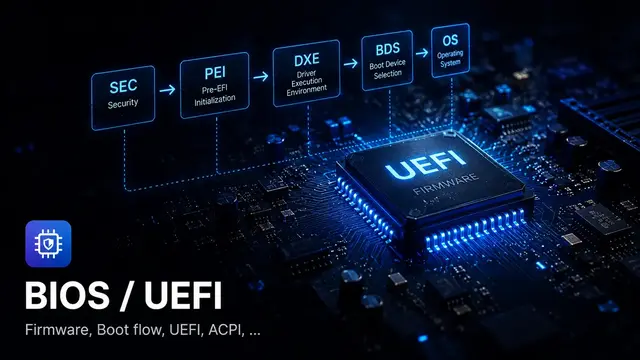
Khi PEI bàn giao, DXE Core nhận một HOB list mô tả memory map và firmware volume. Từ đó, DXE Core:
- Dựng memory services (AllocatePool, AllocatePages, …)
- Khởi chạy DXE Dispatcher
- Dispatcher scan firmware volume, kiểm tra DEPEX, dispatch driver
- Mỗi driver install protocol lên handle database
- Protocol mới → driver khác đang chờ được unlock → dispatch tiếp
- Cuối cùng chuyển sang BDS
Điểm quan trọng để nhớ: DXE không chạy driver theo thứ tự trong file. Thứ tự dispatch phụ thuộc vào dependency chain: ai cần protocol gì, protocol đó đã có chưa.
POST code trong DXE: đọc từ port 0x80
POST code (checkpoint) là cơ chế firmware ghi một byte ra một đường debug (trên nhiều nền tảng x86 thường là I/O port 0x80, hoặc đường tương đương do platform/vendor cung cấp) để báo hiệu đang ở bước nào. Đây là công cụ debug đầu tiên khi hệ thống treo trước khi có serial log.
Với AMI Aptio 5.x, tài liệu public từ AMI, range DXE:
| Range | Ý nghĩa |
|---|---|
0x60–0x8F | DXE execution (đến trước BDS) |
0x90–0xCF | BDS execution |
0xD0–0xDF | DXE errors |
Một số checkpoint quan trọng trong DXE:
| Code | Mô tả |
|---|---|
0x60 | DXE Core khởi động |
0x61 | NVRAM initialization |
0x62 | South Bridge Runtime Services |
0x63 | CPU DXE initialization bắt đầu |
0x68 | PCI host bridge initialization |
0x69 | North Bridge DXE init |
0x6A | North Bridge DXE SMM init |
0x70 | South Bridge DXE init |
0x71 | South Bridge DXE SMM init |
0x72 | South Bridge devices init |
DXE error codes:
| Code | Mô tả |
|---|---|
0xD0 | CPU initialization error |
0xD1 | North Bridge initialization error |
0xD2 | South Bridge initialization error |
0xD3 | Some of the Architectural Protocols not available |
0xD4 | PCI resource allocation error |
0xD5 | No Space for Legacy Option ROM |
0xD6 | No Console Output Devices found |
0xD7 | No Console Input Devices found |
0xD8 | Invalid password |
0xD9 | Error loading Boot Option (LoadImage failed) |
0xDA | Boot Option not active |
Serial log: công cụ chính khi đã qua PEI
POST code cho biết bước nào, nhưng không cho biết tại sao fail. Serial log mới là nơi có thông tin chi tiết.
EDK2/MdePkg DEBUG macro
Trong firmware theo UEFI/PI model hoặc dùng tooling gần với EDK II, log thường có pattern giống macro DEBUG() của MdePkg. AMI Aptio và Insyde H2O có codebase và toolchain riêng, nhưng cách đọc level/status thường rất giống:
DEBUG ((DEBUG_INFO, "MyDriver: LocateProtocol returned %r\n", Status));
DEBUG ((DEBUG_ERROR, "MyDriver: Fatal error at line %d\n", __LINE__));
%r là format specifier đặc biệt của EDK2, nó in EFI_STATUS thành string như "Success", "Not Found", "Invalid Parameter" thay vì số hex. Rất hữu ích khi đọc log.
Debug level (ErrorLevel)
Mỗi message có một level. Level filter được set qua PCD PcdDebugPrintErrorLevel:
| Define | Value | Ý nghĩa |
|---|---|---|
DEBUG_INIT | 0x00000001 | Initialization |
DEBUG_WARN | 0x00000002 | Warnings |
DEBUG_LOAD | 0x00000004 | Image load events |
DEBUG_FS | 0x00000008 | File system |
DEBUG_POOL | 0x00000010 | Alloc/Free pool |
DEBUG_PAGE | 0x00000020 | Alloc/Free pages |
DEBUG_INFO | 0x00000040 | General info |
DEBUG_DISPATCH | 0x00000080 | Dispatcher info |
DEBUG_VARIABLE | 0x00000100 | Variable ops |
DEBUG_BM | 0x00000400 | Boot Manager |
DEBUG_ERROR | 0x80000000 | Errors (luôn hiện) |
Đọc serial log, những pattern quan trọng
Khi có serial log, hãy tìm những pattern này:
Driver entry point:
Loading driver: MyDriverDxe
MyDriver: Entry point called
DEPEX không thỏa, driver không dispatch:
Nếu log DXE dispatcher được bật (DEBUG_DISPATCH), bạn sẽ thấy:
DEPEX not satisfied for: MyDriverDxe.efi
  Needs: gEfiPciIoProtocolGuid (not installed yet)
Protocol install thành công:
MyDriver: InstallProtocolInterface success, Handle=0x...Protocol locate fail:
MyDriver: LocateProtocol(gEfiBlockIoProtocolGuid) = Not FoundDXE Dispatcher: tại sao driver không chạy
Đây là câu hỏi phổ biến nhất khi làm DXE: “Driver đã build, tại sao entry point không chạy?”
Ba nguyên nhân thường gặp nhất:
1. Không có trong FV/FDF
# DSC — build được driver này
[Components]
  MyPkg/MyDriverDxe/MyDriverDxe.inf

# FDF — KHÔNG có trong firmware volume → không nằm trong ROM
[FV.MAIN_FV]
  # MyPkg/MyDriverDxe/MyDriverDxe.inf  ← thiếu dòng này
Driver build xong, có file .efi, nhưng không được đóng gói vào firmware image. DXE Dispatcher không tìm thấy để dispatch.
2. DEPEX chưa thỏa
# Trong INF của driver
[Depex]
  gEfiPciRootBridgeIoProtocolGuid AND
  gEfiCpuArchProtocolGuid
Nếu gEfiPciRootBridgeIoProtocolGuid chưa được install khi dispatcher chạy lần đầu, driver này bị để lại đợi. Mỗi lần một driver mới install protocol, dispatcher chạy lại để xem có driver nào được unlock không.
Nguyên nhân DEPEX không thỏa thường là:
- Protocol thật sự chưa có (driver phụ thuộc chưa chạy hoặc cũng đang chờ)
- GUID trong DEPEX bị typo: không khớp với GUID driver kia install
3. Driver chạy nhưng log bị filter
Entry point đã được gọi, nhưng tất cả message dùng DEBUG_INFO trong khi PcdDebugPrintErrorLevel không include bit đó. Trông như driver không chạy nhưng thực ra đang chạy im lặng.
Checklist khi driver không chạy
Driver Binding: tại sao device không lên boot menu
Driver đã dispatch, entry point chạy, nhưng device vẫn không xuất hiện trong boot menu. Đây là lớp tiếp theo cần kiểm tra: Driver Binding.
Trong UEFI, bus/device driver không bind ngay khi entry point chạy. Entry point chỉ install EFI_DRIVER_BINDING_PROTOCOL. Binding thật sự xảy ra khi firmware gọi ConnectController(), thường trong BDS hoặc khi firmware chủ động connect device.
BDS trigger
BDS gọi ConnectController cho storage/bus controller
Probe
Firmware hỏi từng driver: có hỗ trợ controller này không?
Bind
Driver claim controller, install Block I/O + Device Path cho storage driver; partition driver tạo partition handle; filesystem driver install Simple File System
Boot option
BDS tìm Simple File System trên ESP, resolve boot option
Supported() quá nghiêm ngặt hoặc sai logic là nguyên nhân phổ biến nhất khiến device không được bind.
EFI_STATUS
EFIAPI
MyDriverSupported (
  IN EFI_DRIVER_BINDING_PROTOCOL  *This,
  IN EFI_HANDLE                   ControllerHandle,
  IN EFI_DEVICE_PATH_PROTOCOL     *RemainingDevicePath OPTIONAL
  )
{
  // Kiểm tra xem controller này có phải storage mình hỗ trợ không
  Status = gBS->OpenProtocol (
                  ControllerHandle,
                  &gEfiPciIoProtocolGuid,
                  (VOID **)&PciIo,
                  This->DriverBindingHandle,
                  ControllerHandle,
                  EFI_OPEN_PROTOCOL_BY_DRIVER
                  );
  if (EFI_ERROR (Status)) {
    return Status;  // Không có PCI I/O → không hỗ trợ
  }

  // Đọc Vendor ID / Device ID để xác nhận
  PciIo->Pci.Read (PciIo, EfiPciIoWidthUint32, 0, 1, &VendorDeviceId);

  // Sau khi probe xong, phải CloseProtocol trước khi return
  gBS->CloseProtocol (
         ControllerHandle,
         &gEfiPciIoProtocolGuid,
         This->DriverBindingHandle,
         ControllerHandle
         );

  // Nếu không khớp, trả EFI_UNSUPPORTED
  if (VendorDeviceId != MY_DEVICE_ID) {
    return EFI_UNSUPPORTED;
  }
  return EFI_SUCCESS;
}Debug bằng UEFI Shell
Khi có UEFI Shell, một số command rất hữu ích để kiểm tra trạng thái DXE:
drivers, xem driver nào đã load
Shell> drivers
DRV  VERSION  DRIVER NAME          IMAGE NAME
===  =======  ====================  =======================
1F   00000010 Decompress Driver    Decompress
20   00000010 PC-AT ISA            IsaIo
2C   00000010 PCI Bus Driver       PciBusDxe
...
Nếu driver của bạn không có ở đây, nó chưa dispatch (hoặc không có trong FV).
dh -d <handle>, xem protocol trên một handle
Shell> dh -d 4A
Handle 4A: PciIo DevicePath BlockIo DiskIo SimpleFileSystem
Nếu bạn thấy PciIo nhưng không thấy SimpleFileSystem, driver storage đã recognize controller nhưng chưa publish đủ protocol để BDS boot được.
devtree, xem device tree
Shell> devtree
...
  Ctrl[4A] PCI(0x1F,0x2) - SATA Controller
    Ctrl[4B] Unit 0 ATA Hard Drive (8.0 GB)
      Ctrl[4C] - FAT File System
Nếu storage controller có trong devtree nhưng không có child ATA Hard Drive: driver binding fail ở Start(). Nếu có ATA Hard Drive nhưng không có FAT File System: filesystem driver không bind được.
Kịch bản thực tế: NVMe disk không lên boot menu
Tôi gặp trường hợp này khá thường: flash BIOS mới, NVMe vẫn detect trong OS nhưng không có trong UEFI boot menu.
Cách tiếp cận theo từng lớp:
Bước 1: Kiểm tra DXE có load NVMe driver không
Vào UEFI Shell, chạy drivers. Tìm “NVM Express” hoặc tên driver NVMe. Nếu không có → driver không trong FV, hoặc DEPEX fail.
Bước 2: Kiểm tra handle NVMe có protocol cần thiết không
Shell> dh -p BlockIoLiệt kê tất cả handle có BlockIo. Nếu không thấy handle nào liên quan NVMe, Start() chưa chạy hoặc fail khi install BlockIo.
Bước 3: Kiểm tra connect
Đôi khi BDS không auto-connect tất cả controller. Thử:
Shell> reconnect -r
Shell> map -r
reconnect -r force reconnect toàn bộ driver. map -r refresh filesystem mapping. Nếu sau đó NVMe xuất hiện, vấn đề là BDS connect policy, không phải driver.
Bước 4: Kiểm tra UEFI variable boot option
Shell> dmpstore BootOrder
Shell> dmpstore Boot0000
Nếu Boot#### trỏ sai Device Path hoặc option bị inactive, NVMe có thể hoạt động tốt nhưng vẫn không được chọn để boot.
Tóm tắt
DXE là phase bạn sẽ debug nhiều nhất. Khi gặp vấn đề, hãy tiếp cận theo lớp:
| Triệu chứng | Lớp cần nghi ngờ | Nên kiểm tra gì |
|---|---|---|
| POST code 0xD3 | Architectural Protocol thiếu | CPU Arch, Timer hoặc protocol cốt lõi chưa được install |
| POST code 0xD4 | PCI resource error | MMIO/IO aperture cho PCI device |
| POST code 0xD6/D7 | Console device missing | Console output/input device chưa được tạo |
| POST code 0xD9 | LoadImage fail | Boot option hoặc Device Path sai |
| Không thấy driver trong `drivers` | Dispatcher chưa chạy driver | FDF, DEPEX, MODULE_TYPE |
| Có driver nhưng không có BlockIo | Driver Binding fail | Supported() hoặc Start() |
| Có BlockIo nhưng không boot | BDS path sai | Device Path, Boot####, BootOrder |
Tài liệu tham khảo
- AMI Aptio 5.x Status Codes, Public Document, checkpoint range và DXE error code đầy đủ
- AMI Aptio 4.x Status Codes, Public Document, cho hệ thống cũ hơn
- EDK II Debugging, TianoCore Wiki, PcdDebugPropertyMask, PcdDebugPrintErrorLevel
- MdePkg DebugLib.h, GitHub, toàn bộ DEBUG levels và macro
- EDK II UEFI Driver Writer’s Guide, Ch.31 Debugging, cách configure DebugLib, SerialPort, filter level
- UEFI Shell Specification,
drivers,dh,devtree,dmpstore,reconnect
Đọc tiếp
- UEFI Boot Flow: từ Reset Vector đến ExitBootServices, context tổng thể về DXE nằm ở đâu trong flow
- DXE Dispatcher là gì?
- Driver Binding Flow là gì?
- Protocol trong UEFI là gì?
- Handle Database là gì?
- SMM Phase: System Management Mode từ góc debug (bài tiếp theo)
Thấy nội dung này hữu ích?
Lưu lại hoặc chia sẻ cho người cũng đang học firmware, BIOS/UEFI và embedded systems.
Nội dung liên quan
Một số bài viết, ghi chú hoặc project có liên quan đến nội dung bạn vừa đọc.
UEFI Boot Flow: từ Reset Vector đến ExitBootServices
Không phải học để thuộc tên phase. Học boot flow để biết máy đang chết ở đâu, và debug theo hướng nào: từ SEC đến Runtime.
ACPI là gì: tại sao firmware không nên tắt máy bằng cách toggle GPIO
Tại sao firmware không nên dùng GPIO trực tiếp để tắt máy? ACPI là hợp đồng firmware viết, OS đọc: table, AML, power state và cách debug sleep/wake sai.
BIOS Setup là gì: từ màn hình xanh cổ điển đến HII và NVRAM hiện đại
BIOS Setup hiện đại được xây dựng trên HII: VFR, VarStore, NVRAM. Tại sao thêm field vào giữa struct phá hỏng hệ thống và cách debug setting không lưu được.
Đọc thêm về BIOS/UEFI
Khám phá các bài viết về BIOS/UEFI, embedded firmware, debugging và system-level thinking.