
What is BIOS Setup: from the classic blue screen to HII and modern NVRAM
Modern BIOS Setup is built on HII: VFR, VarStore, NVRAM. Why adding a field in the middle of a struct can break a system, and how to debug settings that don't persist.
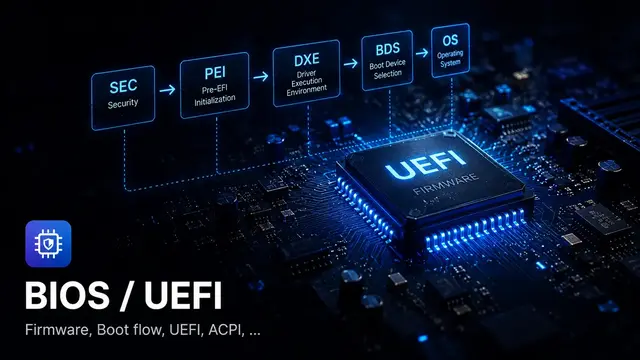
“Going into BIOS” means going into firmware setup
If you grew up with computers from the early 2000s or earlier, you probably remember the screen: press Del or F2 right after power-on and a blue or gray screen appears with white text. Arrow keys to navigate, Enter to select, +/- to change values. No mouse, no graphics, nothing modern.
That was Legacy BIOS Setup — AMI BIOS, Award BIOS, Phoenix BIOS. It worked well for its time but was severely limited in UI flexibility, multilingual support, and extensibility.
Today, when you enter the “BIOS” on a modern laptop or server, what do you see? A colorful graphical interface with mouse support, a search box, and sometimes even a vendor logo. Multiple languages. Organized into tabs and structured submenus.
Many people still call this “going into BIOS,” and that’s not entirely wrong — functionally it does the same job. But internally it’s built on a completely different architecture called HII, Human Interface Infrastructure.
How to enter Setup, and why “BIOS” stuck
Common ways to enter UEFI Setup:
DelorF2— the most universal, works on most PCs and laptopsF10— common on HPF1— traditional IBM/Lenovo ThinkPadEsc— some Asus or Sony laptops
On some modern systems the boot window is too fast to catch with a keystroke. From Windows: Settings → Recovery → Advanced startup → Restart now → Troubleshoot → UEFI Firmware Settings.
HII: the architecture behind the polished UI
If Legacy BIOS Setup is a monolithic block of C code drawing directly to the screen, UEFI HII is a structured pipeline that cleanly separates data, interface, and storage.
HII (Human Interface Infrastructure) consists of:
VFR source    → describes forms, questions, display conditions
.UNI file     → multilingual strings (English, Vietnamese, Japanese...)
Build tools   → compile VFR → IFR binary, UNI → String Package
DXE driver    → installs packages into the HII Database
Setup Browser → reads IFR, renders UI, handles input
VarStore      → backing storage for each question's value
Config Access → driver callback for save/validate/notify
NVRAM         → where data is ultimately persisted
The elegant part of this architecture: each DXE driver can add its own forms to Setup without touching the Browser code. The Browser just reads the HII Database and renders. It has no idea how many drivers are contributing forms.
This is why a modern server Setup menu can have hundreds of options organized across complex submenus while the codebase still has a clear structure.
VFR: the source code of the Setup UI
Developers don’t write screen-drawing code. They write VFR, Visual Forms Representation — a language for describing forms, questions, and display conditions.
varstore SETUP_DATA,
  varid = Setup,
  name  = Setup,
  guid  = SETUP_GUID;

form formid = FORM_BOOT_MAIN,
  title = STRING_TOKEN(STR_BOOT_FORM);

  oneof varid   = Setup.SataMode,
        prompt  = STRING_TOKEN(STR_SATA_MODE),
        help    = STRING_TOKEN(STR_SATA_MODE_HELP),
        questionid = QUESTION_ID_SATA_MODE;
    option text = STRING_TOKEN(STR_AHCI),  value = 0, flags = DEFAULT;
    option text = STRING_TOKEN(STR_RAID),  value = 1;
  endoneof;

  checkbox varid   = Setup.FastBoot,
           prompt  = STRING_TOKEN(STR_FAST_BOOT),
           help    = STRING_TOKEN(STR_FAST_BOOT_HELP),
           questionid = QUESTION_ID_FAST_BOOT;
  endcheckbox;
endform;
VFR is compiled to IFR (Internal Forms Representation), a binary bytecode. The Setup Browser reads IFR, not VFR source. This matters for debugging: if you have an IFR Extractor, you can reverse-read the Setup form structure from a BIOS image without needing the source code.
VarStore and structs: where data actually lives
Every question in VFR needs a VarStore — backing storage to read and write values from.
The most common type is a Buffer VarStore, which maps directly to a C struct:
// Defined in a header file
typedef struct {
    UINT8  FastBoot;        // offset 0x00
    UINT8  SataMode;        // offset 0x01
    UINT8  NetworkStack;    // offset 0x02
    UINT8  Reserved;        // offset 0x03, alignment padding
    UINT16 BootTimeout;     // offset 0x04
    UINT8  TpmDevice;       // offset 0x06
    UINT8  SecureBootUi;    // offset 0x07
} SETUP_DATA;
When the user switches “SATA Mode” to RAID and saves, firmware writes the value 1 to offset 0x01 of this buffer. On the next boot, a PEI or DXE driver reads the buffer, reads Setup.SataMode, and configures the storage controller accordingly.
The offset problem: why one small change can break a system
This is a type of bug I made once and spent a long time understanding. I was adding a new feature flag to a POS firmware — a single UINT8, inserted in the middle of the struct because it seemed cleaner. Built it, flashed it, booted the test machine: couldn’t see the hard drive. Serial log showed nothing obviously wrong. Checked cables, checked SATA controller, checked the DXE driver — all fine.
It took almost half a morning to think of dumping the NVRAM and comparing field offsets against the new struct byte by byte. Off by one. SataMode was reading the value of the adjacent field.
Here’s why. Imagine you need to add a new field to SETUP_DATA. You insert it in the middle:
// Before adding the field
typedef struct {
    UINT8  FastBoot;        // offset 0x00
    UINT8  SataMode;        // offset 0x01
    UINT8  NetworkStack;    // offset 0x02
    UINT8  Reserved;        // offset 0x03
    UINT16 BootTimeout;     // offset 0x04
} SETUP_DATA;

// After adding a field in the middle
typedef struct {
    UINT8  FastBoot;        // offset 0x00
    UINT8  NewFeature;      // offset 0x01, new field added here
    UINT8  SataMode;        // offset 0x02, shifted down
    UINT8  NetworkStack;    // offset 0x03
    UINT8  Reserved;        // offset 0x04
    UINT16 BootTimeout;     // offset 0x05, shifted down
} SETUP_DATA;
The C struct has changed. But NVRAM still holds data in the old layout. When the new firmware boots and reads Setup.SataMode at offset 0x02, it’s actually reading what NetworkStack used to be.
The result: SATA mode is wrong, the storage controller doesn’t recognize the drive, the machine won’t boot. Or worse, a security-related field like TPM is misread, triggering a cascade of hard-to-debug consequences.
This is also why when inheriting a BIOS project to maintain, many engineers’ first step is to dump all NVRAM variables and compare field offsets against the structs in source code. A single byte off and everything reads wrong.
The complete flow: from user click to setting used at boot
When a user enters Setup, changes an option, and saves, here’s what actually happens:
Browser holds temporarily
New value is kept in browser storage; may not write NVRAM yet. Callback is invoked if driver registered one
RouteConfig() is called
Browser calls RouteConfig() on the driver owning the FormSet. This is the step that actually commits data
Write to NVRAM
Driver calls SetVariable. If this fails, the UI shows the right value but reboot will revert
System reboots
Machine restarts with new data in SPI flash
PEI/DXE reads setting
GetVariable → Setup.SataMode == 1 → controller configured for RAID mode
The step that’s easiest to miss: in many implementations, the Setup Browser holds values in temporary storage. Only on Save & Exit does RouteConfig() get called and the Config Access driver actually write to the real variable store.
If SetVariable() returns an error — say, EFI_WRITE_PROTECTED when flash protection is already enabled — the UI still shows the new value but NVRAM still holds the old one. After reset, everything goes back to before.
Debugging: option not persisting after reboot
The most common case when working on BIOS. The approach:
| Step | What to confirm | What failure means |
|---|---|---|
| 1 | Does RouteConfig run? | If not, the problem may be in FormSet GUID or Config Access Protocol registration |
| 2 | Does SetVariable succeed? | If it fails, check the status — EFI_WRITE_PROTECTED or EFI_ACCESS_DENIED |
| 3 | Is NVRAM correct after reboot? | If offset is off, struct layout changed without migration |
| 4 | Is the consumer reading the right field? | PEI/DXE module might be reading wrong GUID, name, or offset |
| 5 | Does the default restore path overwrite? | Clear CMOS or Load Default may overwrite the variable |
Tooling
Vendors like AMI and Insyde typically have tools to inspect setup forms, variables, IFR content, and BIOS images — AMI Debug Rx, InsydeH2O variable editor, Lauterbach UEFI awareness. These are useful, especially without full source access.
But regardless of which tool you use, the person debugging still needs to understand the HII pipeline and VarStore layout. A tool can hint “this offset might be misaligned,” but understanding why that’s dangerous and how to fix it without breaking the upgrade path from an older version — that requires the technical foundation.
Summary
- “Going into BIOS” today means UEFI Setup: HII architecture, not Legacy BIOS
- HII cleanly separates UI (VFR/IFR), storage (VarStore/NVRAM), and logic (Config Access/callback)
- VarStore offsets are extremely sensitive — inserting a field in the middle of a struct corrupts old NVRAM data
- The save flow goes through Browser → RouteConfig → SetVariable → NVRAM → consumer
- Debugging should follow the same layers: display → storage → consumer
References
- UEFI Specification, HII Chapter — official HII spec, chapters 32 and 33
- EDK II HII modules, GitHub — reference implementation
- Insyde Software Development Tools — Insyde H2O development tools
- Lauterbach UEFI H2O Awareness — debug tool with HII visualization
Read next
- What is HII Architecture?
- What is VFR?
- What is VarStore?
- What is NVRAM?
- ACPI: why firmware shouldn’t power off by toggling a GPIO
Found this useful?
Save it or share it with someone learning firmware, BIOS/UEFI, and embedded systems.
Nội dung liên quan
Một số bài viết, ghi chú hoặc project có liên quan đến nội dung bạn vừa đọc.
How are BIOS and UEFI different?
Why does everyone say 'go into BIOS' when modern machines use UEFI? Covers BIOS, UEFI, boot flow, Secure Boot, Boot#### and how firmware builds the system before the OS runs.
IFR Extractor for Hidden Setup Options
How IFR extraction helps firmware engineers debug hidden BIOS setup options, SuppressIf logic, VarStore mapping, and HII forms.
Missing Setup Option Playbook
A practical debug playbook for BIOS setup options hidden by HII, IFR, SuppressIf, GrayOutIf, VarStore, callbacks, or platform policy.
Đọc thêm về BIOS/UEFI
Khám phá các bài viết về BIOS/UEFI, embedded firmware, debugging và system-level thinking.