
What is BAR in PCIe?
Quick note explaining BAR in PCIe for BIOS/UEFI and embedded firmware readers.
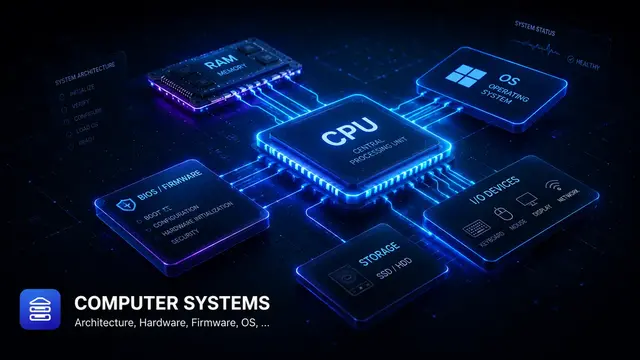
A BAR (Base Address Register) tells firmware or the OS what MMIO or I/O resource a PCIe device needs.
Why it matters
- Explains how firmware discovers and configures PCI/PCIe devices.
- Helps debug missing devices, invalid BARs, and resource-allocation issues.
- Connects PCI configuration space with UEFI driver binding.
Practical example
Example: if Vendor ID reads as 0xFFFF, firmware may not be seeing the device on the bus, or the bus/device/function address may be wrong.
Quick checklist
Quick takeaway
BAR in PCIe is best debugged by connecting configuration-space data with UEFI handle/protocol state.
How I usually read it
I try not to treat BAR in PCIe as a dictionary entry. I read it as part of a firmware path: who produces it, who consumes it, and what symptom appears when it is wrong. That habit makes the note useful during debugging, not only during study.
Where it shows up
For example, when an OS cannot see a device, the driver is not always the first suspect. I would compare the firmware description with the OS view: IDs, resources, table contents, and logs. BAR in PCIe is one piece of that platform description chain.
In a real debugging session
Connect BAR in PCIe to enumeration: BDF discovery, Vendor ID/Device ID, class code, BAR sizing, resource allocation, and driver binding. If a device disappears, the issue may be enumeration or resource assignment rather than the driver itself.
Common clues include Vendor ID reading as 0xFFFF, suspicious BAR sizes, or a stale device path after moving hardware.
Related notes
- What is BDF in PCIe?
- What is PCI Configuration Space?
- What is PCI Root Bridge?
- What is MMIO?
- What is PCI Resource Allocation?
Public references
Found this useful?
Save it or share it with someone learning firmware, BIOS/UEFI, and embedded systems.
Nội dung liên quan
Một số bài viết, ghi chú hoặc project có liên quan đến nội dung bạn vừa đọc.
What is PCI Configuration Space?
Quick note explaining PCI Configuration Space for BIOS/UEFI and embedded firmware readers.
What is Bridge Window in PCIe?
Quick note explaining Bridge Window in PCIe for BIOS/UEFI and embedded firmware readers.
What is PCI Bus Driver?
Quick note explaining PCI Bus Driver for BIOS/UEFI and embedded firmware readers.
Biến note thành bài viết hoàn chỉnh
Notes là nơi ghi nhanh khái niệm.