
How UEFI boot options are structured
A practical overview of UEFI boot option architecture: Boot####, BootOrder, BootNext, BootCurrent, EFI_LOAD_OPTION, BDS flow, and debugging.
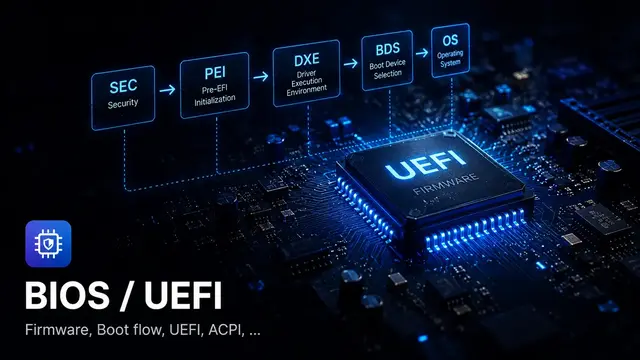
UEFI boot option architecture is the way firmware represents, stores, and selects boot targets. It is built around UEFI variables such as Boot####, BootOrder, BootNext, and BootCurrent, plus the EFI_LOAD_OPTION payload stored inside each Boot#### entry.
If you learn each variable in isolation, the model feels fragmented. During debugging, you need the architecture: who creates the boot option, who orders it, who parses the device path, who calls LoadImage(), and which policy changes the order after a failure.
The overall picture
UEFI Boot Option Architecture
UEFI Variable Store
├─ BootOrder
│  └─ UINT16 list: 0001, 0003, 0007...
├─ BootNext
│  └─ One-time UINT16 option
├─ BootCurrent
│  └─ Current booted option
├─ Boot0001
│  └─ EFI_LOAD_OPTION
├─ Boot0003
│  └─ EFI_LOAD_OPTION
└─ Boot0007
   └─ EFI_LOAD_OPTION
BootOrder is only a reference list. Boot#### stores the description, attributes, device path, and optional data. BootNext is a one-time override. BootCurrent records what the firmware actually used.
Role of each part
| Component | Role | Typical bug |
|---|---|---|
| Boot#### | Describes one concrete boot option | Stale device path, inactive option, duplicate entry |
| BootOrder | Defines the order of boot attempts | References missing entries or is rewritten by policy |
| BootNext | One-time next boot option | Not cleared or unexpectedly overrides BootOrder |
| BootCurrent | Records the option used for this boot | Missing or wrong value makes debugging harder |
| EFI_LOAD_OPTION | Data format inside Boot#### | Bad parser offset or FilePathListLength |
| Device Path | Path to a loader or device | LoadImage fails or the wrong disk boots |
How BDS consumes boot options
Platform policy
Decide boot mode, hotkeys, recovery, and fast boot.
Check BootNext
Use a one-time boot target if present.
Read BootOrder
Get the list of boot option numbers.
Read Boot####
Parse the matching EFI_LOAD_OPTION.
Resolve Device Path
Find the device, filesystem, and EFI file.
LoadImage/StartImage
Load and run the bootloader.
Some boot failures look like OS loader problems, but the firmware may never reach the loader because device path resolution or LoadImage() failed first.
Who creates Boot####?
Boot options may be created by several producers:
- firmware when it discovers an OS loader
- BIOS Setup UI when the user adds an option
- an OS installer
- OS tools such as
efibootmgror Windows boot management tools - recovery flow or firmware update logic
- platform policy that creates fallback entries
Because there are many producers, boot options can easily become duplicated, stale, or inconsistent with the UI.
Boot option lifecycle
A boot option usually moves through this lifecycle:
Create -> Add to BootOrder -> Try -> Success/Fail -> Keep/Reorder/Delete/DisableReal variants include:
- The option is created but never added to
BootOrder. - The option is in
BootOrderbut inactive. - Firmware moves a repeatedly failing option toward the end.
- The option still points to an old disk after cloning or SSD replacement.
- An OS update creates a new entry but does not remove the old one.
- A firmware update preserves NVRAM and therefore preserves old errors too.
Real debug case: boot option leak
A boot option leak happens when the system keeps creating new boot options without cleaning old ones. Over time, the variable store fills up or the boot menu becomes full of duplicate-looking entries.
Symptoms include:
Boot0001,Boot0004, andBoot0008share the same description.BootOrderbecomes unusually long.- BIOS Setup shows many similar entries.
SetVariable()starts returningEFI_OUT_OF_RESOURCES.- dbx update or BIOS Setup save fails because space is low.
Debug direction:
- Dump all
Boot####entries. - Compare description and full device path.
- Check which entries are referenced by
BootOrder. - Find the producer that creates new entries.
- Check variable store reclaim.
- Do not blindly delete Secure Boot variables or Setup variables.
Source-reading checklist
Boot option architecture source-reading checklist
Use this when reading BDS, Boot Manager, or variable code.
Useful logs
BootNext
BootOrder
BootCurrent
All Boot#### names
EFI_LOAD_OPTION attributes
Device Path text
OptionalData size
Producer path if a new option is created
LoadImage status
StartImage status
Variable store free space or quota
Good logs tell you whether the failure is in boot option structure, boot selection policy, or the loader itself.
Related notes
- What is the UEFI Boot Manager?
- What is Boot####?
- What is EFI_LOAD_OPTION?
- What is BootOrder?
- What is BootNext?
Found this article useful?
Share it with someone learning firmware, BIOS/UEFI, or embedded systems, or support the author.



Nội dung liên quan
Một số bài viết, ghi chú hoặc project có liên quan đến nội dung bạn vừa đọc.
What are Boot####, BootOrder, and BootNext?
Boot#### is an EFI_LOAD_OPTION in NVRAM holding attributes, a Device Path, and optional data. BootOrder and BootNext control the order BDS tries booting.
What is BDS in UEFI?
BDS is the phase after DXE that selects a boot option. Firmware reads BootOrder, connects devices, loads and starts the EFI image. Understanding BDS helps debug wrong boot options.
What is a Device Path in UEFI?
Device Path describes the route from a hardware bus to an EFI file through a chain of binary nodes. Understanding it helps debug boot failures and stale Boot#### entries.
Biến note thành bài viết hoàn chỉnh
Notes là nơi ghi nhanh khái niệm.