
What is SPCR?
Quick note explaining SPCR for BIOS/UEFI and embedded firmware readers.
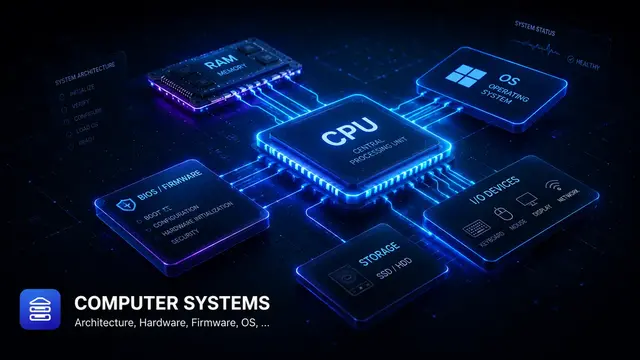
SPCR describes serial console redirection information so the OS can find and use the firmware-selected serial console.
Why it matters
- Helps the OS understand platform devices or resources.
- Connects firmware description with OS driver behavior.
- Useful when debugging ACPI namespace, resource, or table issues.
Practical example
Example: if the OS does not bind a driver to an ACPI device, check _STA, _HID/_CID, and _CRS in that order.
Quick checklist
Quick takeaway
SPCR is the contract between firmware description and OS interpretation.
A debugging angle
I try not to treat SPCR as a dictionary entry. I read it as part of a firmware path: who produces it, who consumes it, and what symptom appears when it is wrong. That habit makes the note useful during debugging, not only during study.
A small field example
For example, when an OS cannot see a device, the driver is not always the first suspect. I would compare the firmware description with the OS view: IDs, resources, table contents, and logs. SPCR is one piece of that platform description chain.
In a real debugging session
For SPCR, I usually ask four questions: which firmware phase sees it, which module produces it, which module consumes it, and where the symptom appears when it is wrong. That turns a BIOS/UEFI definition into a useful debug checkpoint.
When a DXE driver does not bind or BDS stops at an unexpected point, avoid staring at one error line only. Walk backward through protocols, handles, device paths, variables, and policy decisions. Firmware failures are usually chained.
Related notes
- ACPI Table Types: key points
- What is ACPI Namespace?
- What is AML?
- What is ACPI Method?
- What is XSDT?
Public references
Found this useful?
Save it or share it with someone learning firmware, BIOS/UEFI, and embedded systems.
Nội dung liên quan
Một số bài viết, ghi chú hoặc project có liên quan đến nội dung bạn vừa đọc.
What is DBG2?
Quick note explaining DBG2 for BIOS/UEFI and embedded firmware readers.
What is XSDT?
Quick note explaining XSDT for BIOS/UEFI and embedded firmware readers.
What is RSDP?
Quick note explaining RSDP for BIOS/UEFI and embedded firmware readers.
Biến note thành bài viết hoàn chỉnh
Notes là nơi ghi nhanh khái niệm.